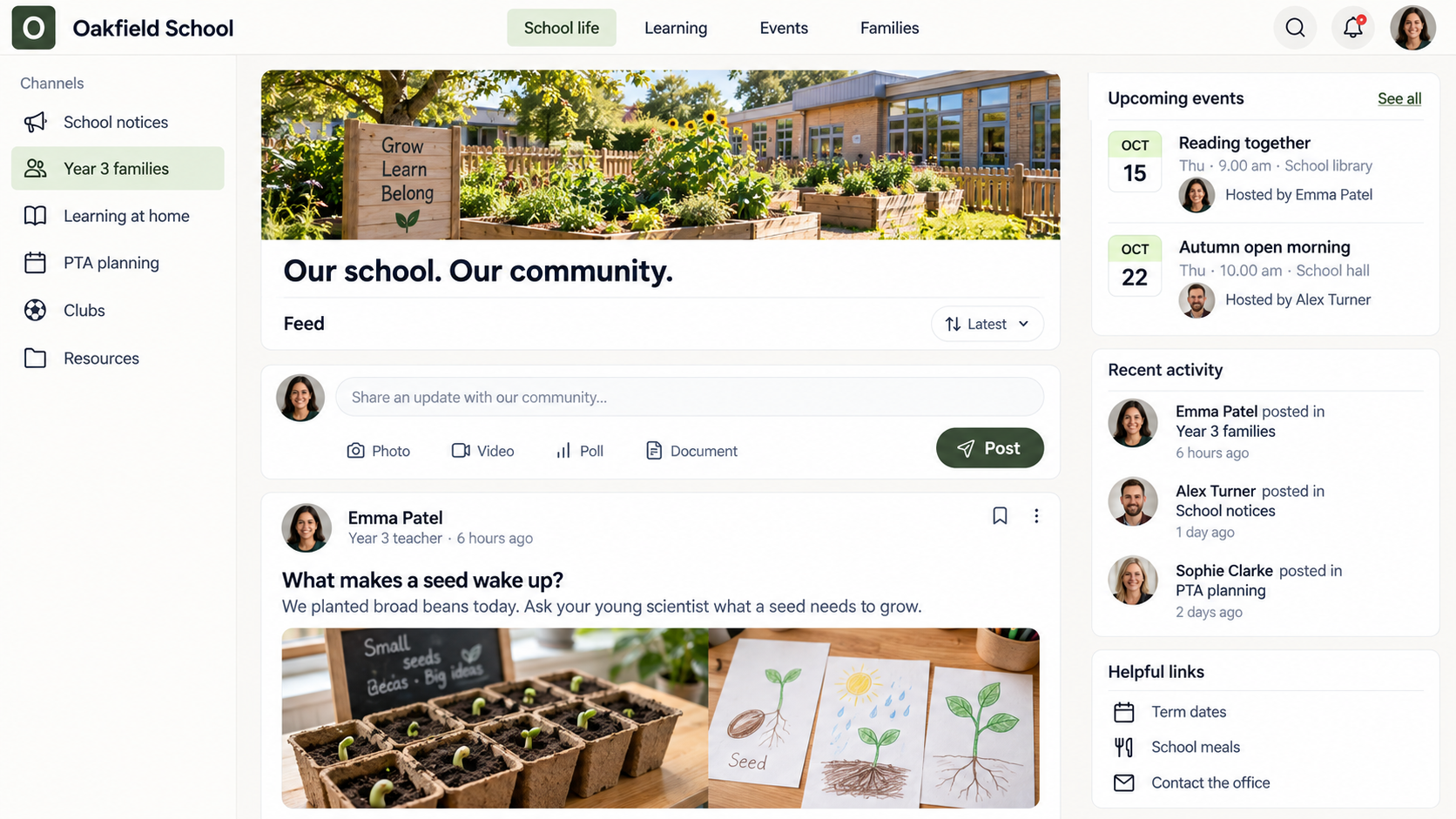
Today we explored what plants need to grow. Ask your child: what do you think our seeds will look like next week?
JW
Jamie · Parent
We’ve found a sunny spot for a seed at home. Thank you for showing us what you’re learning!
THU15
COMING TOGETHERReading together workshopFamilies welcome · School library
01 Parents who feel involved.
02 Staff who feel connected.
03 A school people belong to.
A CLOSER LOOK / 60 SECONDS
See what a more connected school could look like.
From scattered messages to shared moments. See how updates, resources and conversations can bring families closer to school life.
01 / THE SPACE BETWEEN SCHOOL AND HOME
So much happens. So little makes it home.
The breakthrough in class. The care behind a decision. The small moment that made a child proud.
Families don’t always see the whole picture. They see a newsletter, a reminder, a message buried in an inbox. Meanwhile, staff are forwarding updates and the office is sending the same answers again.
Aucoto Community gives those moments, conversations and resources a place to belong. So keeping people connected becomes part of school life—not another chain of tasks.
Less “Where was that?”More “Now I understand.”
02 / SEE IT IN SCHOOL LIFE
See your school community in action.
Choose a feature to see it in Oakfield School, with a practical idea for using it in yours.
SCHOOL HOME
Your school, in one familiar place.
Start with a school-wide welcome, then guide families to year-group channels, upcoming events and useful resources. A parent joining Reception knows where to begin; a Year 6 family knows where to return.
POSTS & COMMENTS
Turn an update into a conversation.
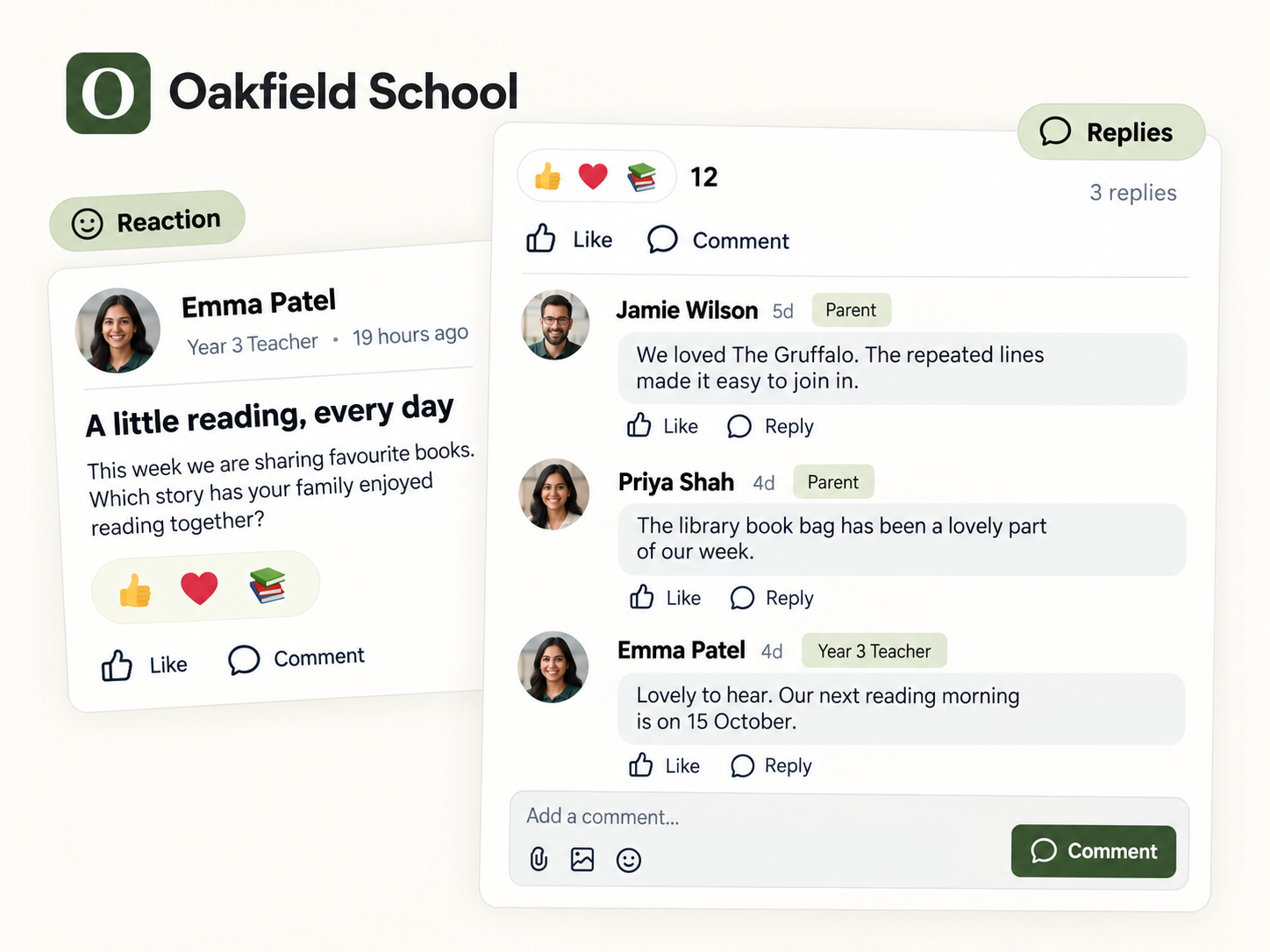
Share what the class is exploring and suggest a question to ask at home. Keep general replies with the original post, so other parents can benefit from the answer too.
DIRECT & GROUP MESSAGES
Give each conversation the right space.
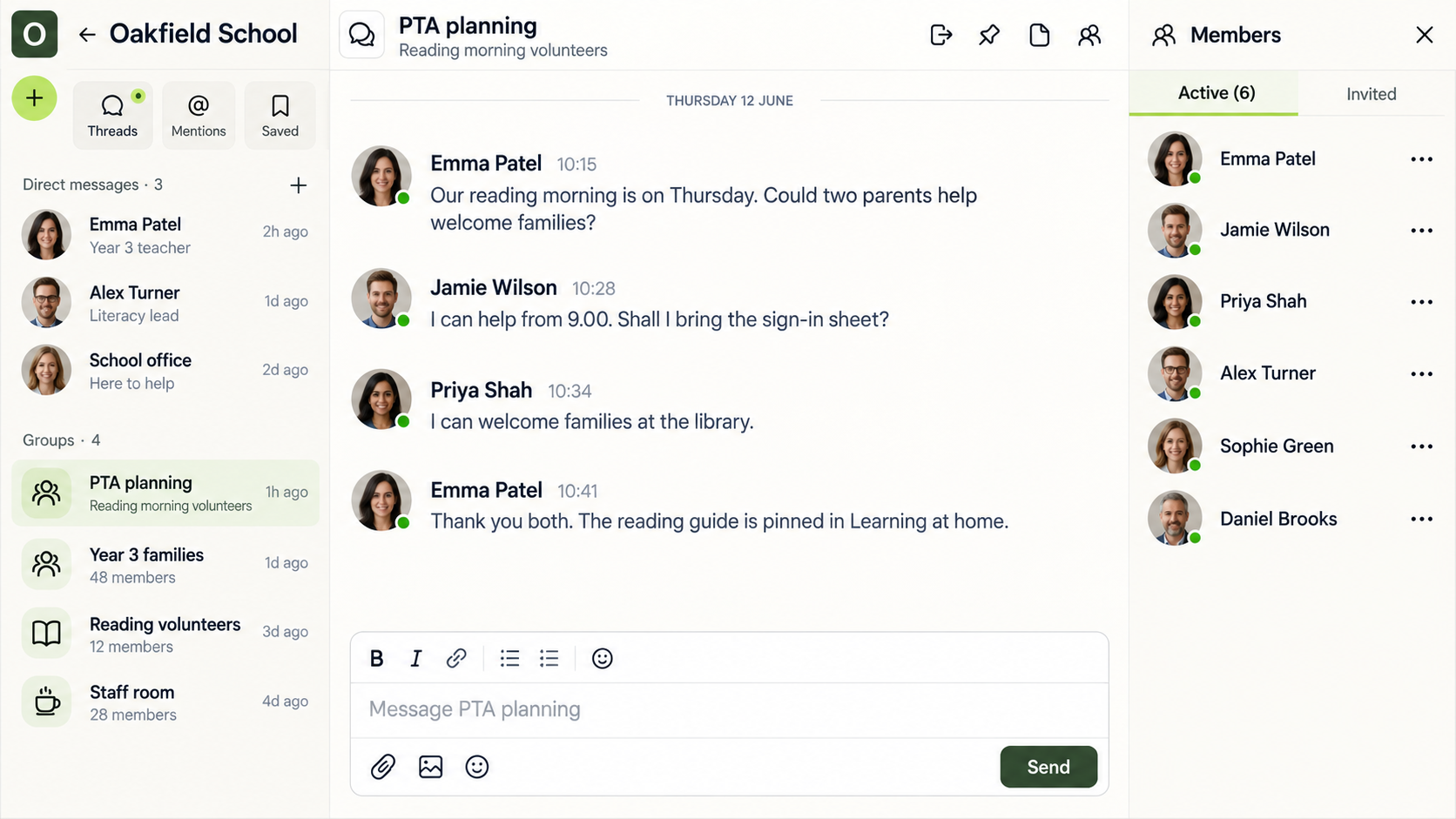
Use a group chat to organise PTA volunteers or a reading morning. Use direct messages for routine individual follow-ups, with clear staff response times and agreed school communication boundaries.
RESOURCE LIBRARY
The answer shouldn’t be buried in an inbox.
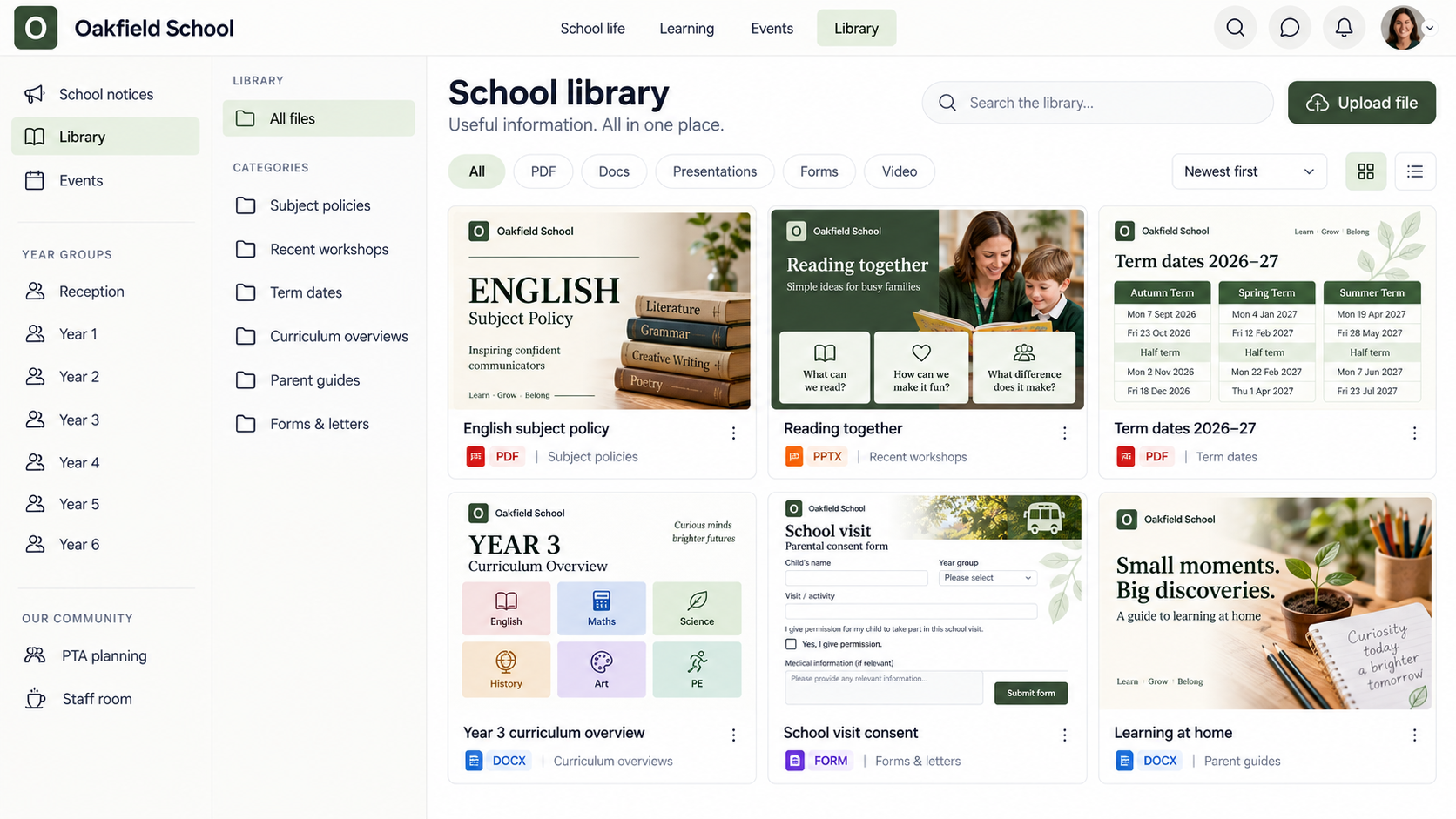
Organise subject policies, workshop slides, term dates and curriculum overviews into clear categories. Give PDFs, documents, presentations and links to forms a recognisable home, with previews that make the right resource easier to spot.
COURSES & LEARNING
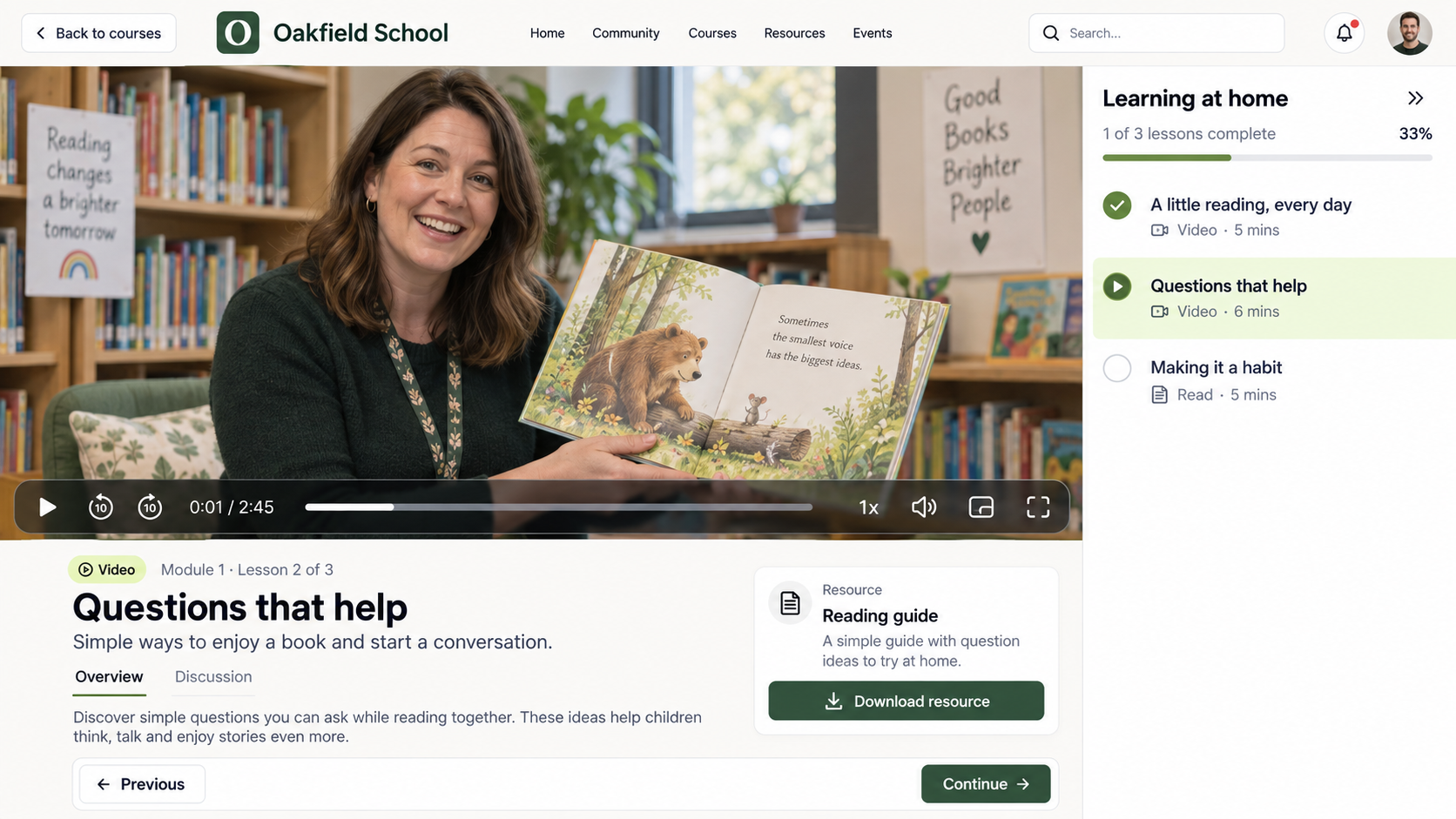
Show families how to help at home.
Build short guides to phonics, reading together or starting school using lessons, videos and supporting documents. Staff can use the same course structure for induction and professional learning in their own space.
PHOTO GALLERIES
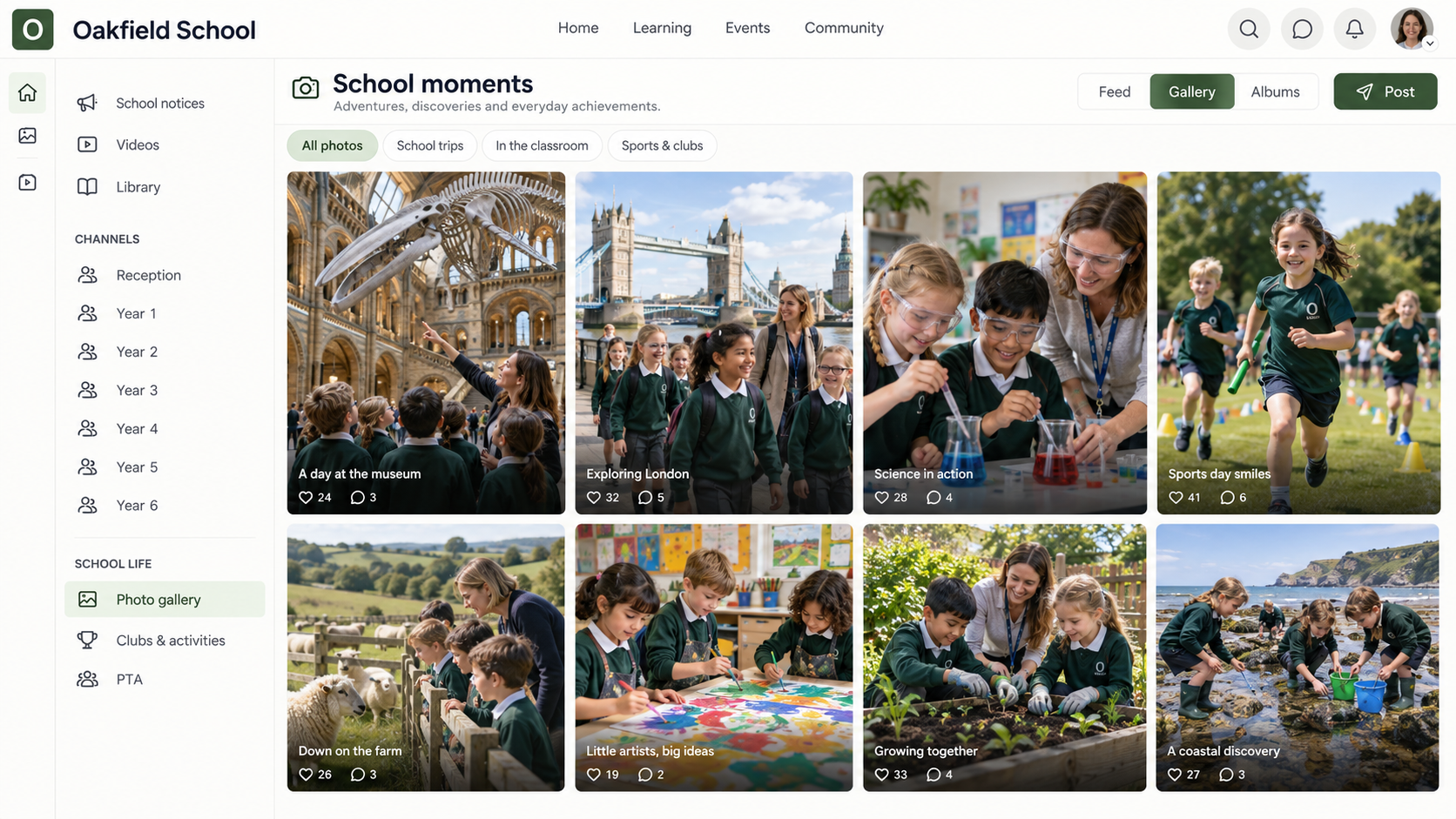
A window into the whole school experience.
Collect London trips, countryside discoveries, science experiments, art and sports day in a photo gallery. Organise images around the class or occasion so families can revisit the moments that matter to them.
VIDEO GALLERIES
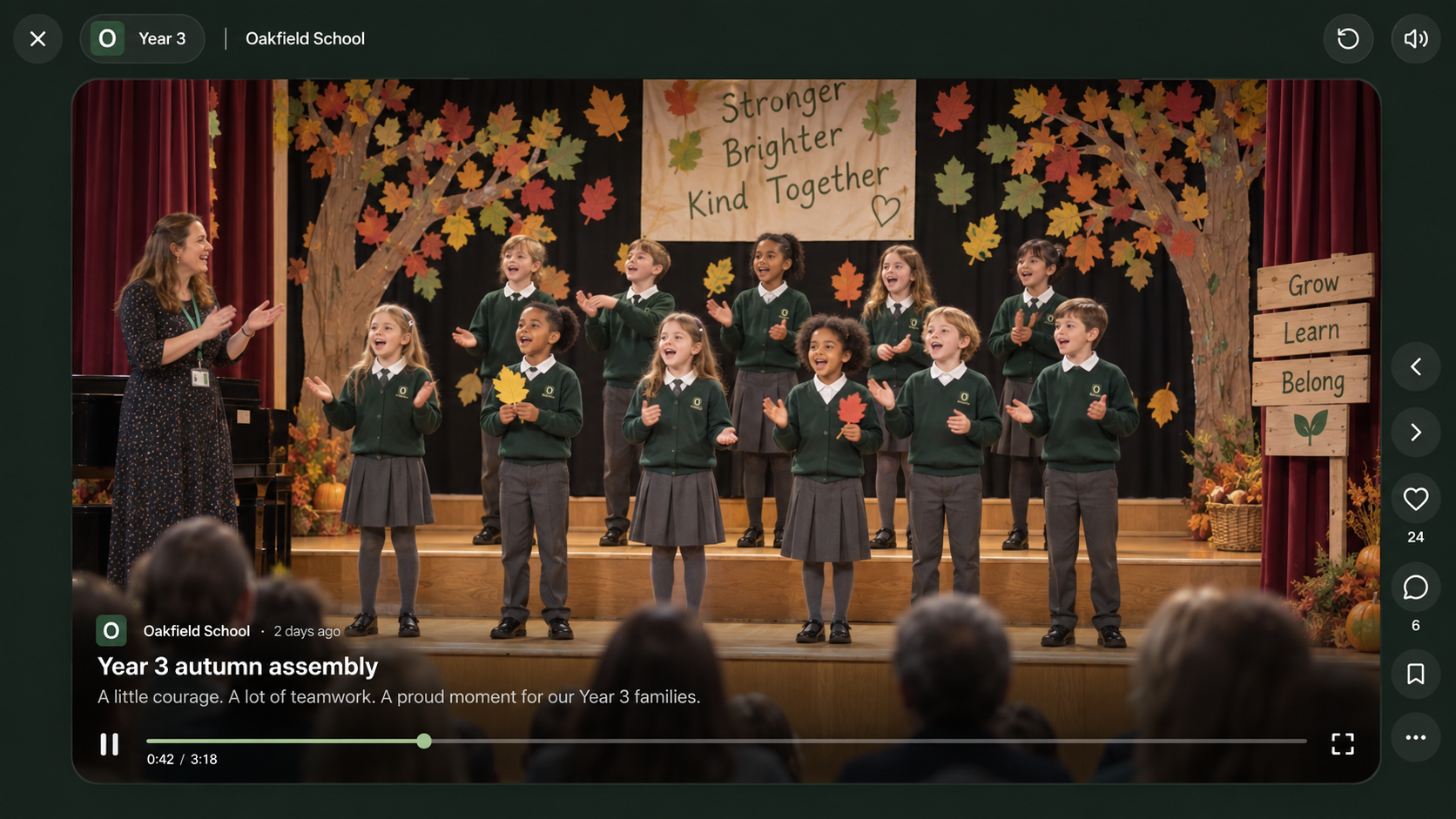
Let a proud moment travel home.
Share a class assembly, a music performance or a short classroom demonstration. Families who could not be there can enjoy the moment and have something specific to talk about afterwards.
EVENTS & WORKSHOPS
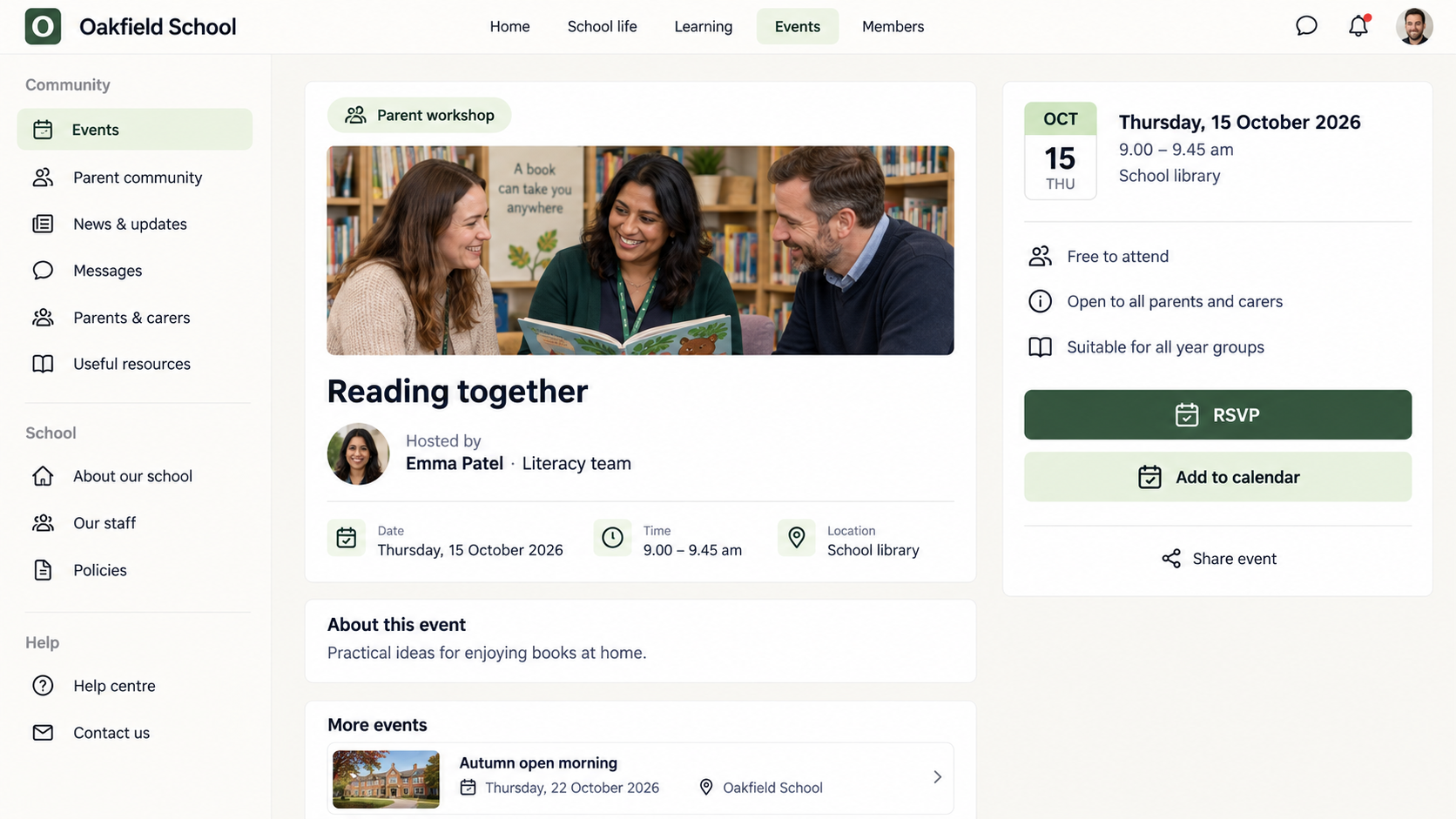
All the details. One clear invitation.
Create an event for a parent workshop, open morning or school celebration. Keep the host, date, time and location together, with an RSVP so families know how to join and staff can plan ahead.
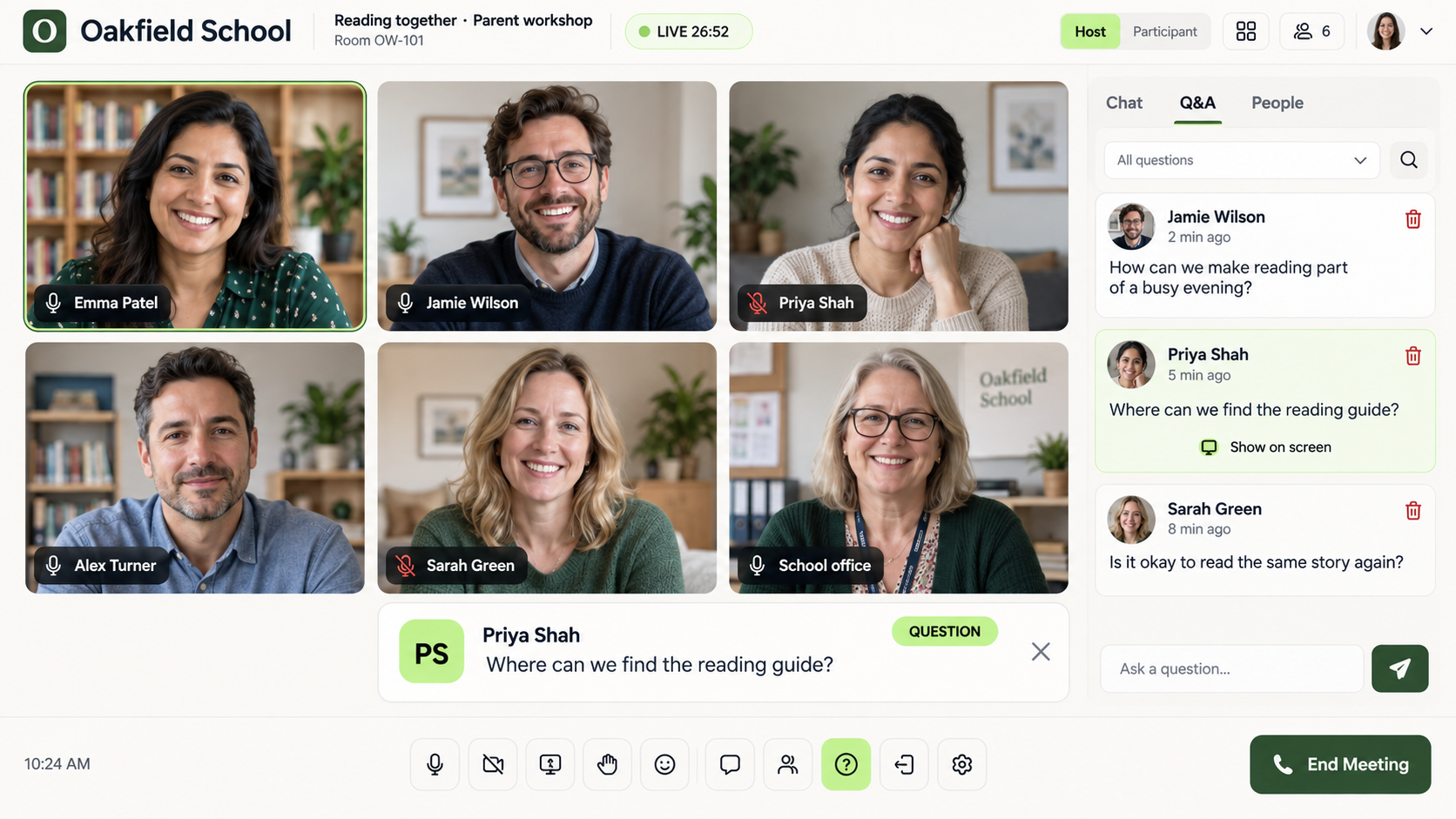
LIVE MEETINGS
Keep the conversation going online.
Bring parents together for a reading Q&A, or colleagues for a staff learning session. Use questions and discussion to make a meeting useful. Live-session availability depends on the selected plan and setup.
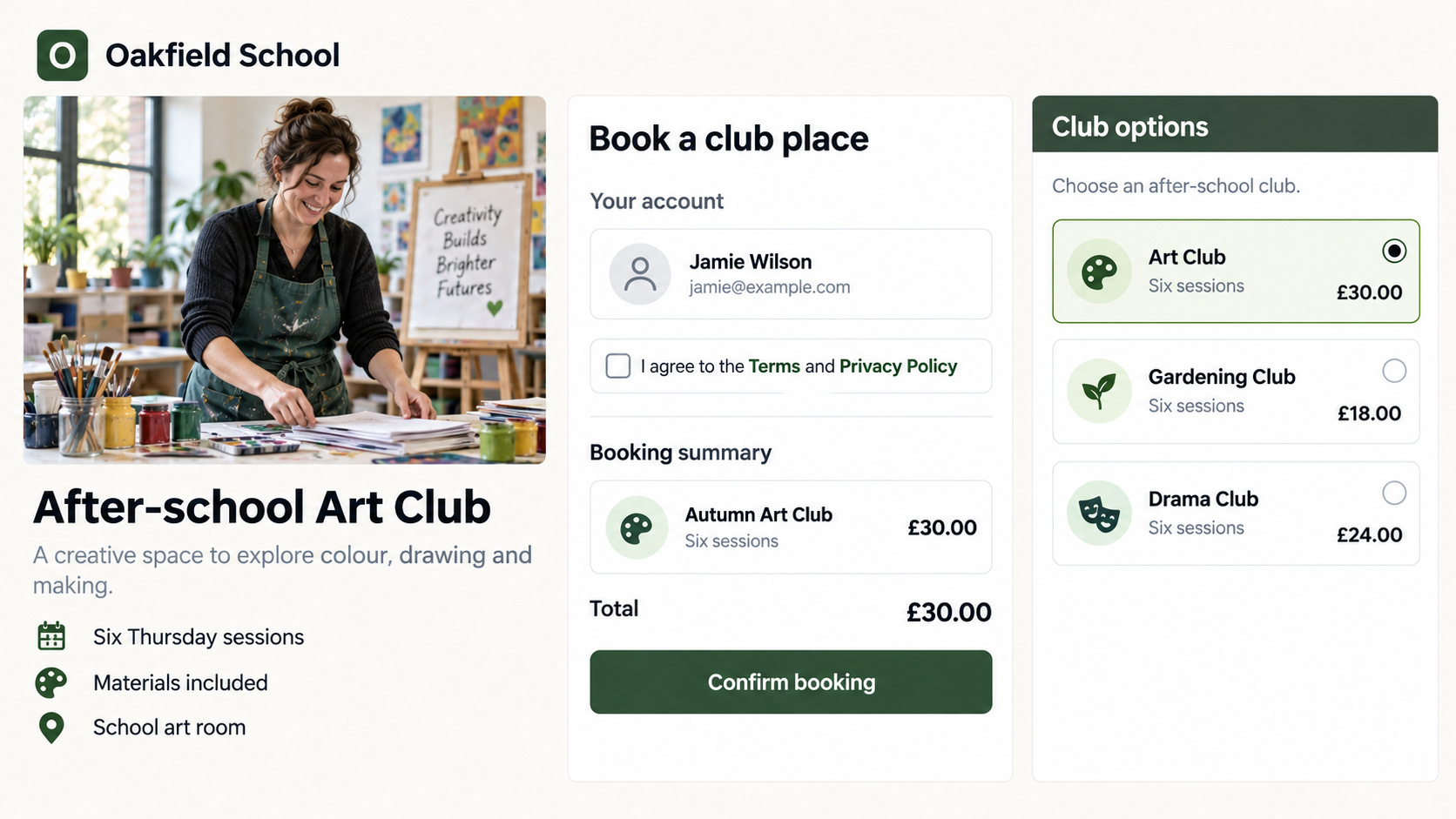
OPTIONAL PAID ACCESS
A clearer route into optional activities.
Present an optional club or enrichment offer with its description, price and payment step together. Keep essential school notices and parent guidance available separately; this is not a replacement for your school’s finance or booking systems.
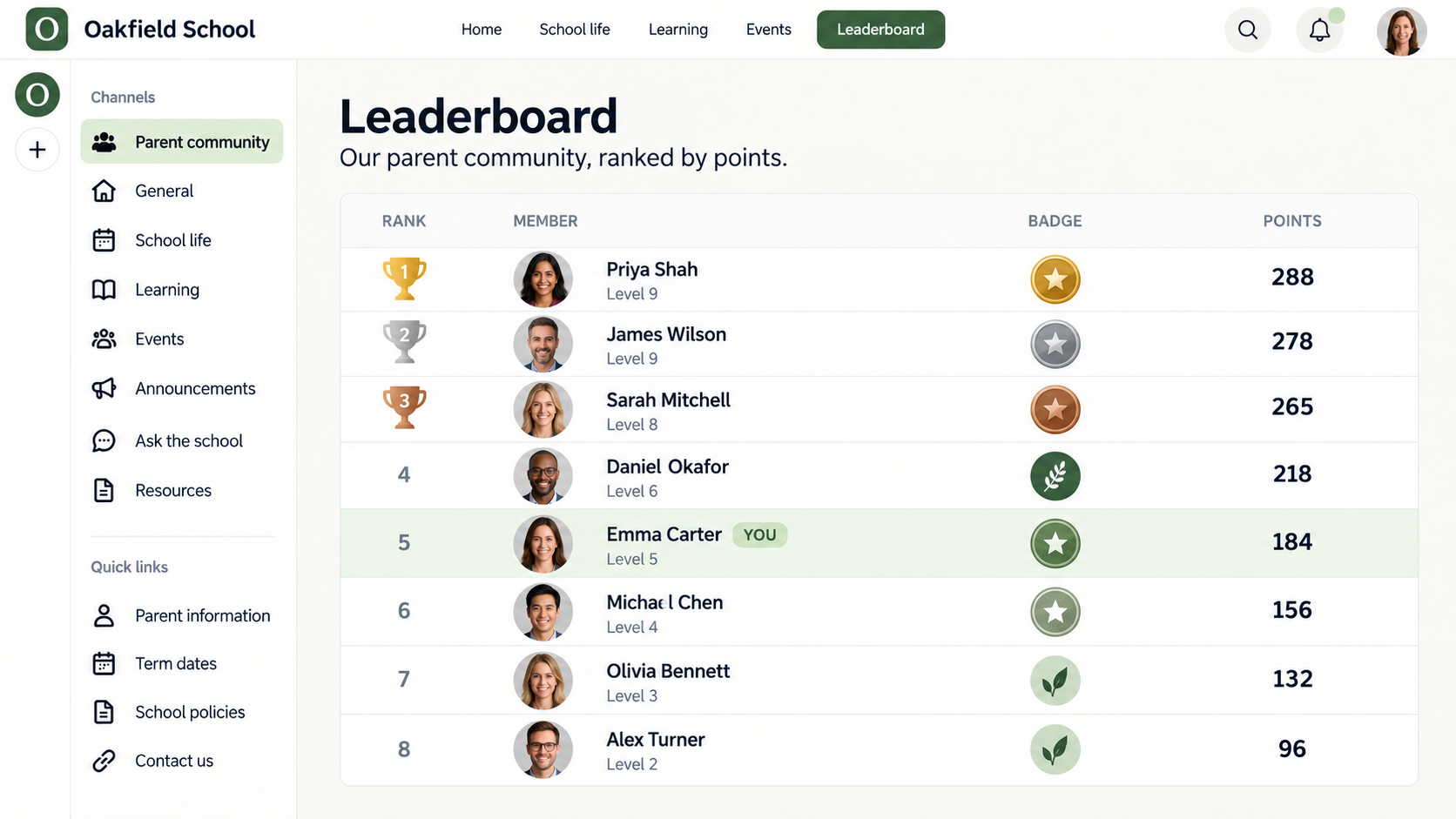
PARENT LEADERBOARD
Recognise the people taking part.
An optional parent-community leaderboard shows individual members, points, levels and badges. Use it where a little recognition suits your community—not as a measure of parenting, pupil achievement or school house points.
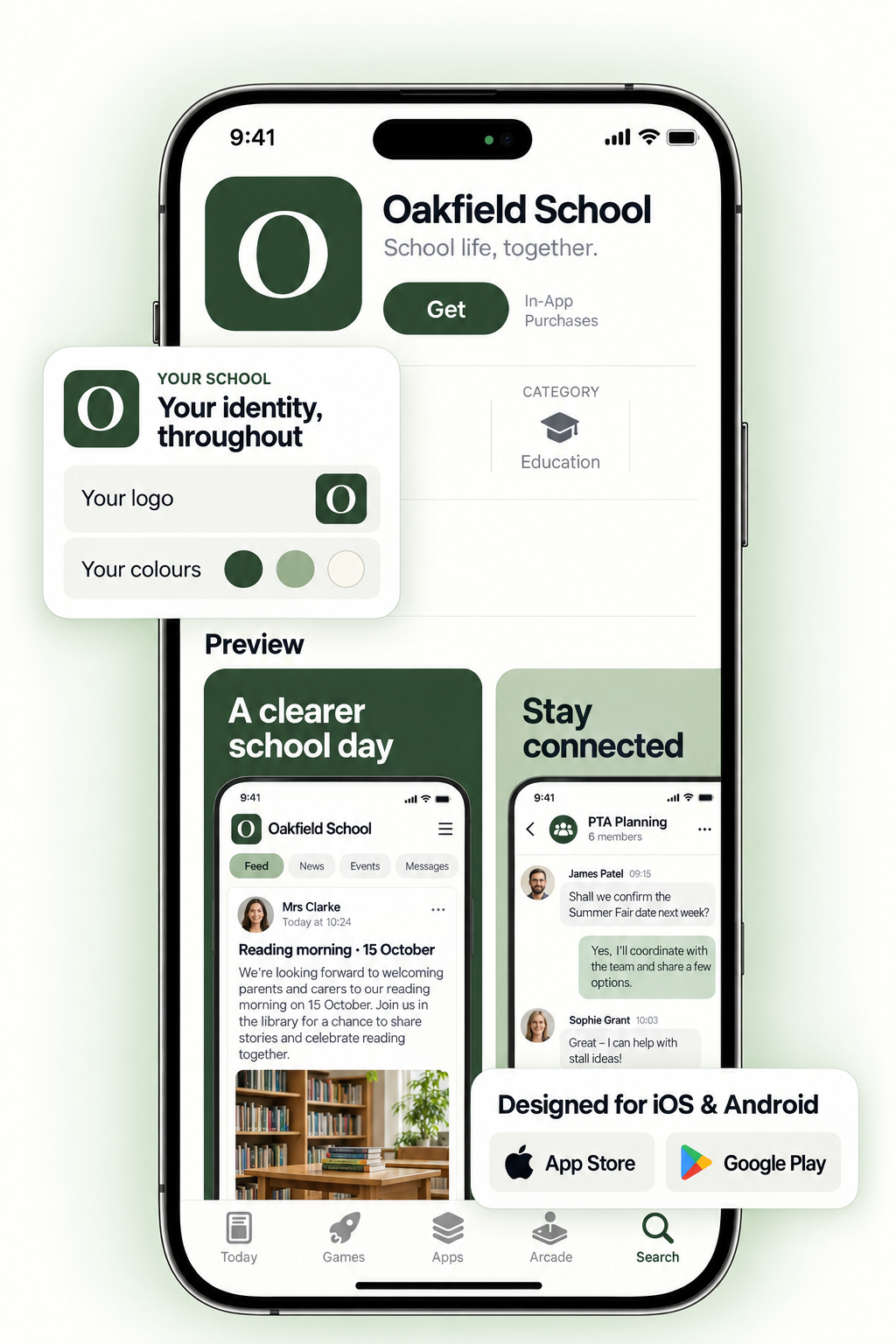
BRANDED MOBILE APP
Your school community, within reach.
An optional branded app gives families a familiar school name and icon on their phone. Bring updates, learning and conversations into the same experience. App-store delivery and availability are confirmed as part of your chosen setup.
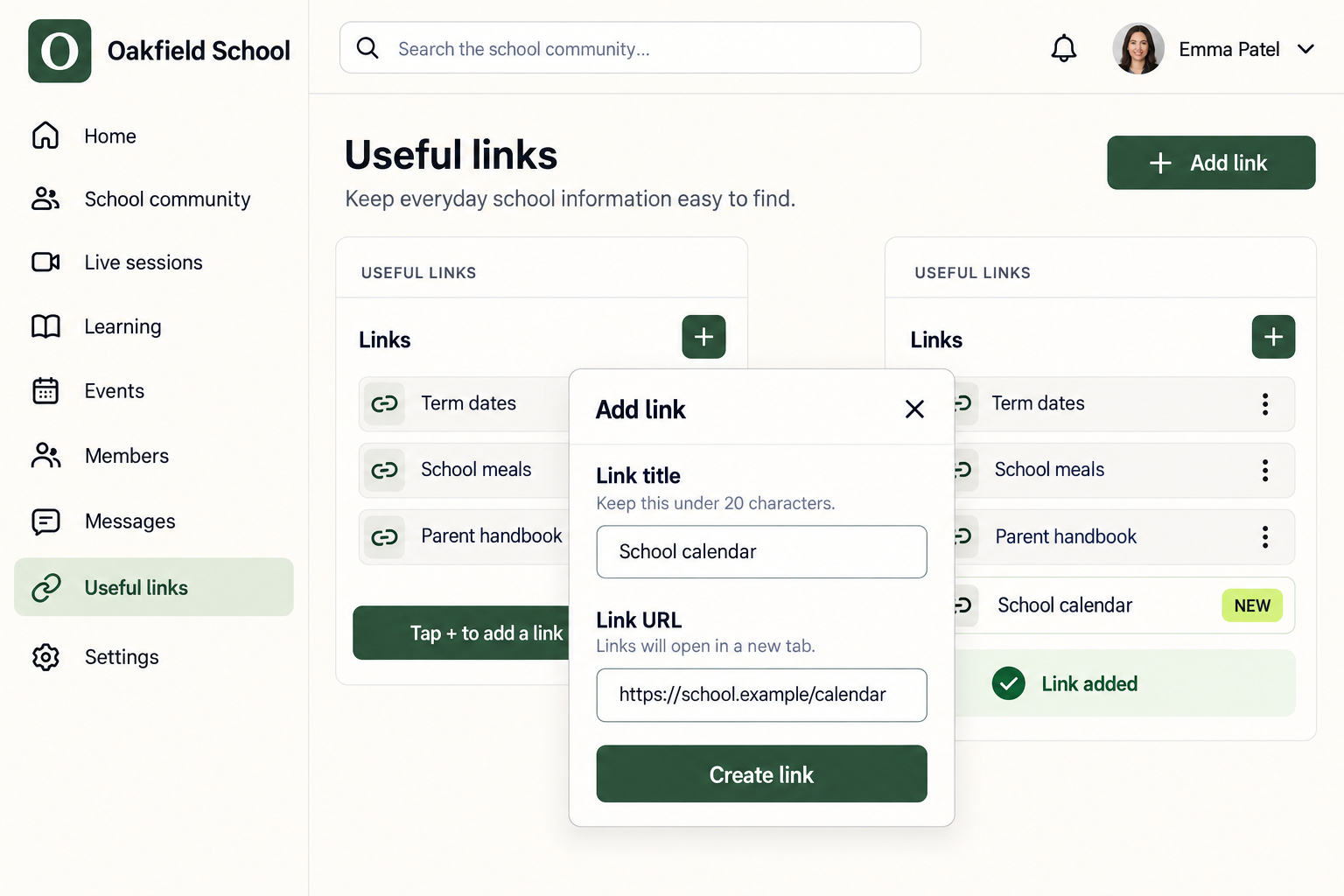
CUSTOM LINKS
Connect families to the places they already need.
Add clear links to your school website, term dates, policies and existing parent systems. A useful starting point does not have to replace every tool your school already uses.
ONE SCHOOL COMMUNITY. BETTER FOR EVERYONE.
Less everyday friction. More connection that matters.
Different roles. Different pressures. One place to make school life feel more joined up.
01
A clearer whole-school picture
School Leaders love it.
Less fragmented communication. A stronger connection with your school community.
Give communication a clear home.
Bring updates, events and resources together, instead of spreading them across inboxes and disconnected groups.
Take pressure off the office.
Make term dates, policies and everyday answers easy to find, so fewer routine questions need another reply.
Make your school’s care visible.
Show families the learning, opportunities and small moments behind the newsletter headlines.
Build a two-way relationship.
Use polls and discussion to hear from families, understand questions and explain what happens next.
02
More teaching. Less repeating.
Teachers love it.
Help families understand the learning, without starting another chain of admin.
Share once, in the right place.
Post a class update to your year-group space, within agreed permissions, rather than passing it through several inboxes.
Stop rewriting the same guidance.
Keep reading tips, workshop materials and useful explanations in a library you can point families back to.
Bring parents into the learning.
Share a photo, a short video or a question to try at home, giving families something specific to build on.
Stay connected, with boundaries.
Keep routine discussion in agreed spaces, with clear expectations about where questions go and when staff respond.
03
Less searching. More belonging.
Families love it.
Know what’s happening, feel part of school life and feel more confident helping at home.
Find it without the inbox hunt.
Return to your year-group updates, event details and school resources in one familiar place.
Get beyond “nothing” and “fine”.
See classroom moments and discoveries that give you a real starting point for conversations after school.
Know how to help at home.
Use school-created guides and workshop materials to understand the methods your child is learning.
Catch up when life allows.
Revisit shared updates and available workshop recordings, even when work or family commitments mean you cannot attend.
03 / HELP PARENTS HELP
Beyond “How was school?”
Give families something more useful than another reminder.
A short explanation. A practical idea. A resource they can return to. Bring parent guidance and workshops alongside the classroom updates that give them context.
Another handoff. Another copy. Another task in the office inbox.
A CLEARER WAY TO SHARE
Authorised staff→︎The right community space→︎Families
Keep the update, useful resources and general discussion together.
Less duplicated effort.
Reduce routine forwarding and retyping. Build a publishing approach that removes work rather than adding another channel to maintain.
Answers that stay useful.
Give everyday guidance a lasting home, so staff can point to a useful answer instead of writing it again.
Knowledge that travels.
Bring resources, staff discussion and professional learning together, with clear boundaries around response and working times.
05 / A COMMUNITY WORTH BELONGING TO
Give families reasons to stay. And stories to share.
Make the care, learning and opportunities at your school easier to see—not just on an open day, but throughout the year.
CONFIDENCE / RETENTION
Keep the relationship growing.
Help current families feel informed, heard and included. Support the confidence and sense of belonging behind a lasting home–school relationship.
REPUTATION / ADVOCACY
Build the experience behind the recommendation.
Share positive moments, listen to feedback and show how you respond. Create opportunities for honest parent reviews and permission-based stories.
WELCOME / ENROLMENT
Make a thoughtful first impression.
Help prospective families understand your ethos, meet your people and find their next step. A warmer introduction to what makes your school special.
06 / BUILT AROUND YOUR SCHOOL
Start with the people. Then shape the space.
You don’t need every feature switched on. You need a useful first version, clear ownership and a welcome people understand.
01
Choose what needs to feel easier.
Family updates, parent guidance or staff collaboration. Start with the real friction, not a long feature list.
02
Give everything a clear place.
Plan your spaces, content, permissions and publishing responsibilities. Review the setup with your school’s relevant leads.
03
Welcome, listen and improve.
Begin with a manageable group. Help people get started, gather feedback and find out whether the experience is making life easier.
A community around your school systems.
Keep pupil records, safeguarding, attendance and other specialist processes in their appropriate systems. Aucoto’s role is connection, shared learning and participation.
A FEW PRACTICAL QUESTIONS
Before you bring everyone in.
Is this for pupils to use directly?+
This school offer focuses on parents, carers and staff. It is not an invitation to create pupil accounts. Any future pupil-facing use would need its own safeguarding, age-suitability and data-protection assessment.
Can we share photos and videos privately?+
Image and video galleries can form part of your private school community. Before launch, review who can access them, how image permissions are managed and how content is removed. A private space does not prevent someone from taking a screenshot or resharing material, so clear expectations still matter.
Will this replace our existing school systems?+
Not by default. Aucoto Community is for the community experience around your school: updates, resources, galleries, events and collaboration. It is not a replacement for a school management information system, safeguarding records or emergency communications. Any integration needs must be assessed separately.
How do we avoid adding more work for staff?+
Start by deciding which duplicated tasks and channels can stop. Agree who publishes, where questions go and when responses can be expected. Direct publishing depends on your agreed permissions; it should not mean every member of staff is available around the clock.
What about families who need help getting online?+
Members can access the community on the web and on mobile devices. Plan assisted onboarding, clear language and suitable content formats, and retain appropriate telephone, printed or face-to-face routes. Moving communication online should not leave families behind.
What should our school check before choosing Aucoto?+
Review the proposed configuration, access controls, supplier data-processing information, accessibility needs and safeguarding fit with your relevant school leads. Also confirm pricing, support, media limits and any optional app or live-session features before committing.
AUCOTO COMMUNITY / FOR SCHOOLS
Less distance between school and home.
Bring families closer to the learning. Bring colleagues closer to each other. Give your school community a home.